A typical support request goes like this: “I installed Shadowsocks, followed the instructions, but half of my apps still do not work, and the IP checker stubbornly shows my home address.” The person cannot understand where they went wrong.
They did not. That is simply how it works, and I still feel awkward having to explain it every time.
Shadowsocks is not a VPN, although it is called one almost everywhere. I used to call it that myself for years, until I started explaining it to other people and realized I was explaining it incorrectly. The difference is not terminology but which traffic actually enters the tunnel. Until you understand that, the question “why does not all my Internet traffic go through the proxy?” keeps coming back.
A Proxy, Not a VPN: Why This Is More Than Semantics
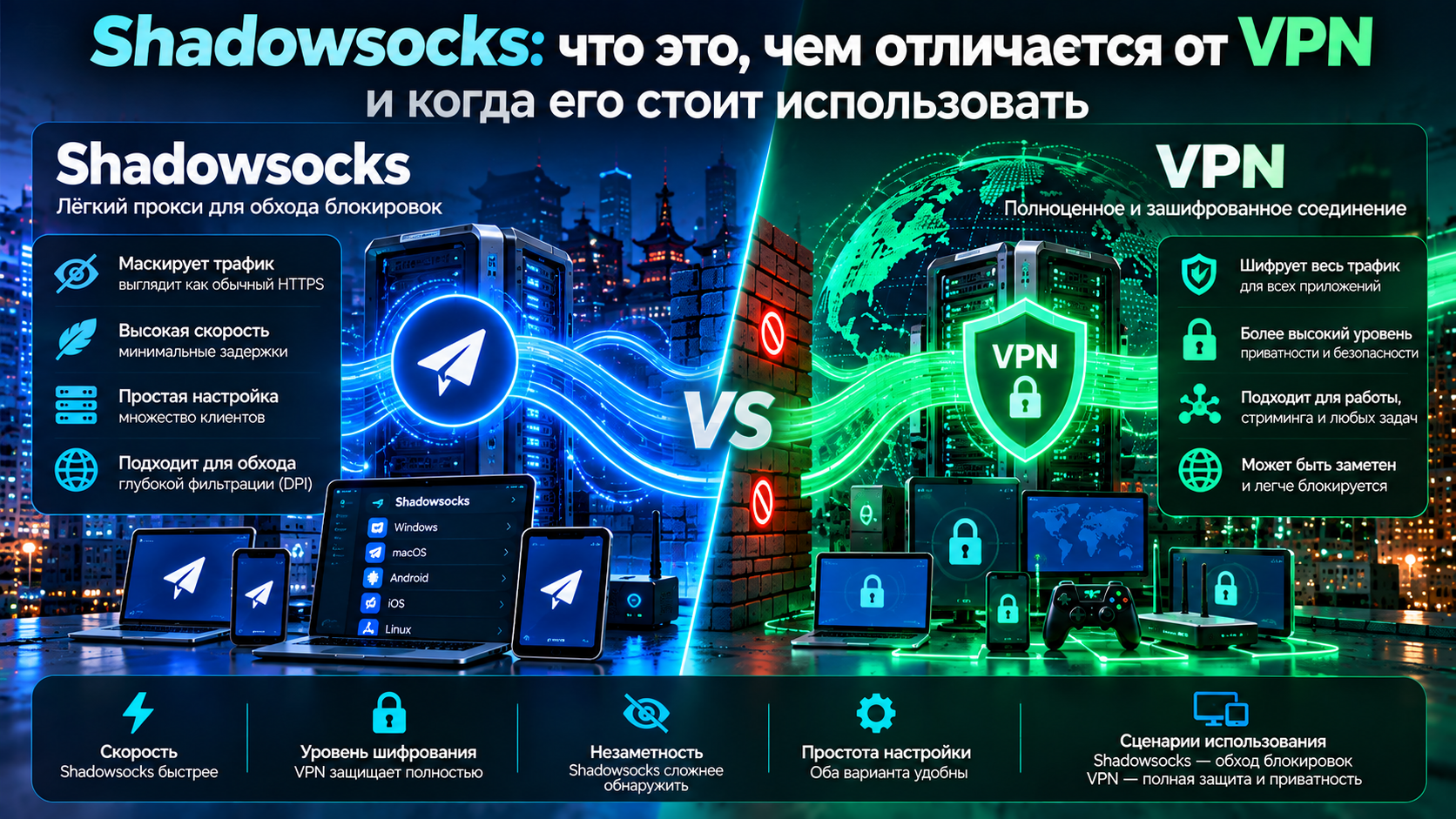
A VPN creates a virtual network interface on the device and intercepts traffic at the system level, so everything sent by any application, including system services, goes into the tunnel without the application even knowing about it. Shadowsocks works differently. It creates a local proxy server and waits for something to connect to it. If something does, it forwards that traffic through an encrypted channel. If not, it does not. It does not intercept or force anything, and that passivity is the whole point.
Let me ground this in something more concrete. A VPN is like moving the whole house to a new address so all mail is automatically delivered there, regardless of who sent it. A proxy is like asking a courier to carry only the letters you physically hand over. Everything else goes to the old address because the courier knows nothing about it. The direct consequence, which I repeat in support chats almost every week, is simple: a browser explicitly configured to use the proxy goes through Shadowsocks, while a messenger that knows nothing about the proxy does not.
There are ways around this: transparent proxying and VPN wrappers on phones. They work. But they are an extra layer on top, not a property of the protocol itself, and the two should not be confused.
[Image: diagram showing what goes through Shadowsocks and what bypasses it]
Why Shadowsocks Traffic Looks Like Random Noise
It is beautifully designed. I still consider the idea one of the most elegant in its field, and I admit I am a little biased — it was my first proxy ever.
Most protocols have headers: service fields, a version, a message type, a length — everything that can identify a protocol even when its contents are encrypted. Shadowsocks has no headers. None. The connection opens and encrypted bytes start flowing immediately: no handshake, no greeting, no identifying marker, so to an outside observer it looks like a stream of random data.
The key is derived from the password, the encryption is modern and includes integrity protection: alter the data in transit and the connection falls apart. Cryptographically, it is fine, and I have no complaints there. The problem turned out to be somewhere else. More on that near the end.
Plugins: v2ray-plugin, simple-obfs and What They Add
When “just random bytes” stopped being enough camouflage, plugins appeared. I saw that transition myself and remember how quickly things changed.
simple-obfs was the first widely used solution: it wrapped the stream so that the beginning of the connection looked like an HTTP request or a TLS handshake. Cheap and simple, and it worked very well for a while. It is outdated now and no longer developed: the camouflage was superficial, only the beginning looked different, and the same noise followed afterward.
v2ray-plugin is much more sophisticated. It can wrap Shadowsocks in WebSocket and put real TLS on top using your domain and certificate. From the outside, this is no longer a “strange stream” but a convincing connection to a web server.
The Shadowsocks obfuscation plugin has one job: remove the statistical anomaly. The paradox that finally changed my thinking was this: absolute randomness is itself a signal on a network. Normal traffic does not look like that. The price is obvious: the plugin is needed on both ends, and you need a domain and certificate that must then be maintained.
[Image: illustration of an obfuscation plugin running on top of Shadowsocks]
Shadowsocks, VLESS and WireGuard: What Is the Difference?
| Property | Shadowsocks | VLESS + Reality | WireGuard |
|---|---|---|---|
| What it is | Proxy | Obfuscated proxy | Full VPN |
| Traffic coverage | Only traffic routed to it manually | Depends on the client, usually everything | All device traffic |
| System services | Bypass it | Usually tunneled | Tunneled |
| DNS requests | Often leak directly | Usually tunneled | Tunneled |
| Traffic appearance | Random stream | Normal HTTPS | Recognizable UDP |
| Domain required | Only with a plugin | No, a third-party one is used | No |
| Setup complexity | Low | Medium | Low |
| Resistance to filtering | Medium, low without a plugin | High | Low |
| Router support | Firmware or workarounds | Additional components needed | Often built in |
If I had to answer “Shadowsocks or VPN?” in one line: a proxy provides access to specific sites; a VPN protects the whole device.
What Stays Outside: System Traffic, Apps and DNS
This is the most practical section, in my opinion. Read it carefully.
DNS. The biggest hole, and one I fell into myself. The browser goes through the proxy, but first it needs to resolve the site address, and it asks the system resolver — your provider’s DNS — directly, outside the tunnel. As a result, the provider can see the list of domains without inspecting the traffic itself. The fix is to enable DNS proxying in the client; almost every client has such a setting. It is not always enabled by default, though, and people can spend years leaking DNS while believing everything is protected. You can check it in half a minute on the diagnostics page.
System services. Updates, time synchronization, telemetry and push notifications all live outside the browser and know nothing about your proxy.
Apps without proxy support. Many desktop applications either cannot use a proxy or handle it poorly. Games, cloud-drive clients and work software go directly to the Internet, and nobody necessarily warns you about it.
Outline: The Same Technology With a Human Face
Outline VPN is often treated as a separate product, although technically it is a wrapper around Shadowsocks: the server is deployed almost in one click, and access keys are issued as simple strings. The barrier to entry is genuinely low: someone who has never seen a console can deploy a server and share access with their family. I actually set up access for my parents through Outline, and it was the only time I did not have to explain anything over the phone afterward.
The limitations are exactly what you would expect. Under the hood it is still Shadowsocks with all its properties, including its proxy nature and the DNS issue. Fine-grained obfuscation settings are not available here. And the server is yours, which means updates, resilience and reacting to an IP block are also your responsibility. Setting up Outline is a ten-minute question if you follow the documentation. More important is understanding what you get: a convenient proxy, not a full tunnel.
When Shadowsocks Is the Right Choice
The scenarios where it works well have not disappeared, and I like them.
Need access to a couple of websites from a browser? A proxy handles that and, more importantly, does not accidentally break access to banks and government services that dislike a suddenly changed IP address.
Weak hardware. An old laptop, a single-board computer or an aging router — Shadowsocks is lightweight and can run where a full tunnel would crawl.
Flexible rule-based routing: one node for some domains, another for others, and everything else direct. Clients such as Clash Verge Rev have supported this for a long time, and here the proxy nature turns from a limitation into an advantage.
And then there is the main anti-scenario. If you need full-device privacy rather than access to a few sites, this is not your tool. You need a tunnel that captures all device traffic.
Why It Is Being Detected More Often and What Replaced It
Returning to the point I stopped at earlier: the problem with Shadowsocks turned out not to be cryptography.
A stream with no headers or structure is itself an anomaly, and that took time to become obvious. Look at byte distributions in the first packets, timings and sizes, and an “overly random” stream stands out from the crowd like someone dressed in black against snow. Add active probing. The system connects to the same address and port and observes the response. A server without a plugin answers with silence or closes the connection. A web server never behaves that way. The signal is ready, the rule is written, and the address goes onto the list.
That is why plain Shadowsocks is unstable in Russia as of 2026: somewhere it survives for weeks, somewhere it dies within hours. A good plugin can extend its life, but it is still a race where you are constantly catching up, and honestly I got tired of it before I managed to get good at it.
A different idea replaced it: not “look like nothing,” but “look like a specific allowed resource.” VLESS with Reality does not answer an active probe with silence — behind it is a real popular site with a genuine certificate. I covered the mechanics in the VLESS article, while the broader blocking picture is on the RKN blocking bypass page.
What to Take Away
Shadowsocks is a proxy. It protects what you explicitly send through it and exactly nothing else. System traffic and DNS bypass it by default.
Without an obfuscation plugin, modern filters can detect it, not by reading its contents but by its traffic statistics and by how the server reacts to probing.
As a point-access tool it is still good: lightweight, fast and flexible for routing. As a way to protect the whole device it is not suitable, and that is not a flaw — it is its nature.
If you need a tunnel for the whole device rather than a single browser, use a VPN. HubHide offers VLESS with Reality, WireGuard and OpenVPN in one plan, with a 14-day trial without a card; clients are in the downloads section. Test it with your provider before paying — that is more useful than any review, including mine.
Frequently Asked Questions
Is Shadowsocks a VPN?
No, it is an encrypted proxy. A VPN intercepts all device traffic at the system level, while Shadowsocks forwards only traffic that the application sends to it. Hence the typical complaint: the browser works through the tunnel, while the messenger, updates and DNS requests go directly.
How Is Shadowsocks Different From VLESS?
Both are proxies by nature, but they use different camouflage. Shadowsocks makes traffic look like random noise, while VLESS with Reality makes it look like a normal HTTPS connection to a real website, including a genuine certificate. Under active server probing, the second approach holds up better; VLESS also has broader client support and convenient subscription handling.
Is Shadowsocks Secure?
From an encryption standpoint, yes: modern cipher suites are strong and provide integrity protection. The risks are elsewhere: traffic that bypasses the proxy and DNS leaks when DNS proxying is disabled. And, of course, all proxied content passes through the server, so who operates that server is an important trust question.
What Is Outline?
A ready-to-use Shadowsocks implementation with easy server deployment and convenient access-key management. Technically it is the same protocol with the same properties, but with a human-friendly interface and access management. The barrier to entry is low, flexibility is lower, and the server and its maintenance are entirely your responsibility.