https://hubhide.com/en/blog/what-can-be-learned-from-ip-address/What Can Be Learned About a Person from an IP Address and How to Limit It
A classic comment: “I’ll find you by your IP.” The phrase became a meme about fifteen years ago, and rightly so — the threat is almost always empty. But the pendulum swung the other way, and now half the people are convinced that an IP reveals absolutely nothing. That is also false. It can reveal quite a lot, just not what people usually mean. I deal with this confusion almost every week: someone fears that their IP will lead an attacker straight to their home, while someone else assumes the address means nothing and then gets angry when a website blocks them. Let’s separate the facts. What can be seen from an address, what cannot, why a map can put you in a city you have never visited, and what you can do about it.
What is an IP address and who can see it?
In simple terms, an IP address is a number that tells the network where to send data. You make a request; the server needs to know where to send the response. That is basically it.
The analogy I like is a car’s registration plate. You can see the registration region and, with enough attention, what kind of car it is. You cannot see the owner’s name; that requires access to a database, and not everyone has it. Your IP is similar: every website, app, ISP, and Wi-Fi operator can see it. One important detail is often forgotten: the address usually is not permanently yours. Home ISPs commonly assign dynamic addresses, which can change after reconnecting or periodically, while mobile operators may put dozens or thousands of subscribers behind one public address. That is another reason “I’ll find you by IP” is often an empty threat.
What is actually determined from an IP?
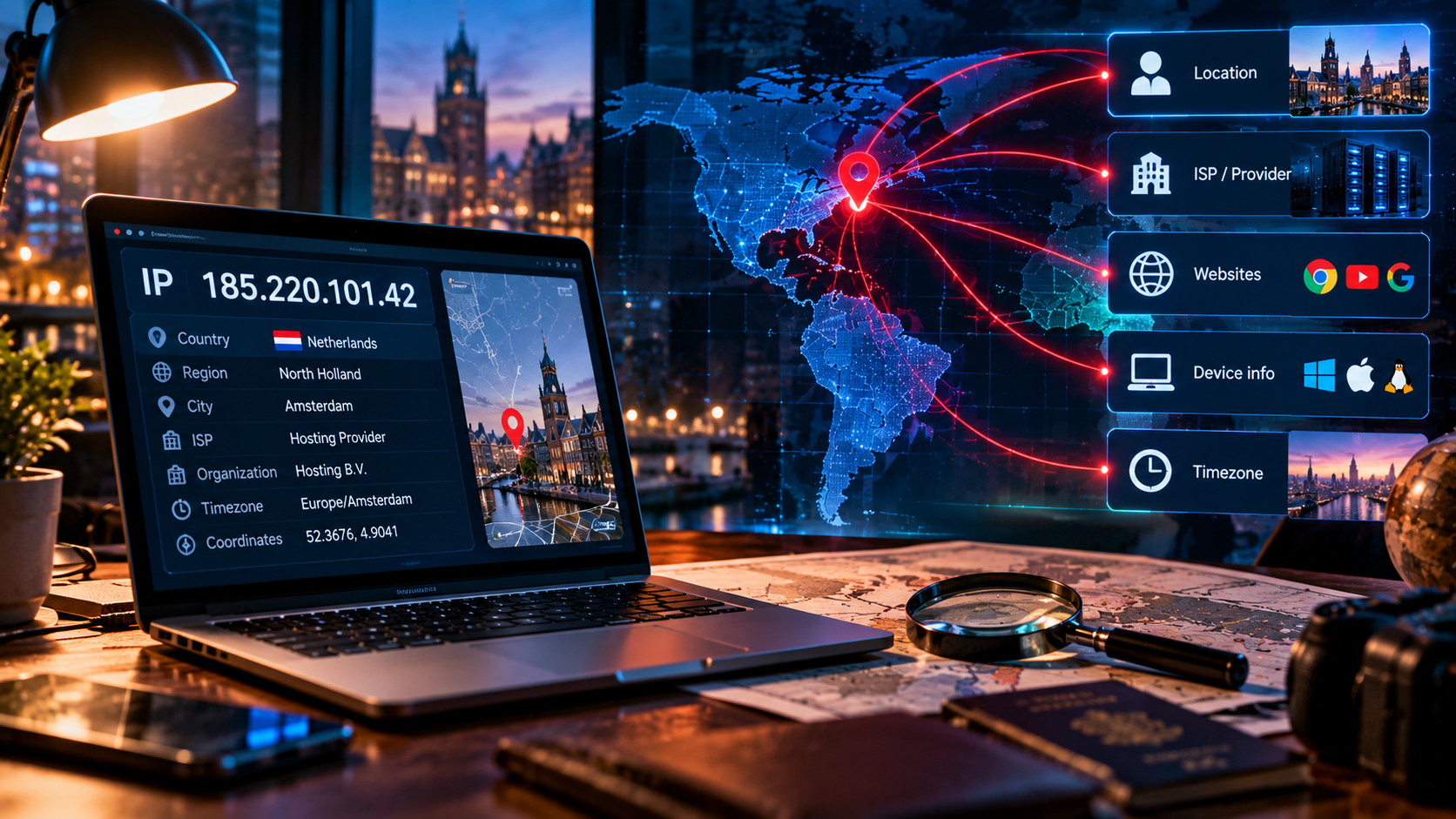
Here is what a website can learn automatically simply because you connected:
- Country. Usually quite accurate.
- Region and city. It depends. Major cities are often correct, but not always.
- Provider. Usually clear: the network operator that owns the address range.
- Autonomous system number (ASN). Identifies the organization controlling the address block and helps distinguish home internet, mobile networks, and data centers.
- Connection type. Residential, cellular, corporate, hosting, etc., inferred from ASN and databases.
- Proxy or VPN indicator. Usually based on lists of known hosting and data-center ranges.
- Approximate time zone. Derived from the estimated region, not encoded in the IP itself.
The most sensitive part is approximate city-level location plus the provider name. Not because that identifies you, but because it narrows the possibilities.
[Image: infographic “what an IP reveals and what it does not” — two columns]
What an IP cannot tell you
Now the myths.
First and last name. No. The mapping between an IP and a subscriber is held by the ISP. It is not available to random people; disclosure requires an appropriate official request. Services promising to reveal the owner are usually selling fiction.
Exact apartment address. No. At most, you may get an approximate area, and even that can be wrong. A map marker is often the center of a database region, not your building.
Phone number. No. That information belongs to a different system.
A unique human identifier. Again, no. One public address can represent an entire household: phones, laptops, TVs, and other devices. A mobile public address can represent many subscribers. Your address can also change several times. So can you find someone by IP? In principle, a subscriber can be identified through the ISP under lawful procedures. For someone simply trying to “trace” you in a chat, however, the necessary data is not available to them.
Why IP geolocation can be hundreds of kilometers off
A common support question is: “Your server is in Frankfurt, but the site says Amsterdam. Did you configure it incorrectly?” No. There is no geographic coordinate hidden inside an IP address. Geolocation is built from databases maintained by third parties using information from network operators and other signals. Those databases can be updated with delays and can disagree.
Typical reasons why IP geolocation is wrong:
- An ISP moved an address block between cities and the database has not caught up.
- A mobile operator routes subscribers from a large area through one exit point.
- A corporate network uses one public exit, so an employee can appear to be in another city.
- A new address range is not yet in the database and gets associated with the owner’s registered address.
The practical conclusion is simple: a service that makes important decisions based only on IP geolocation will make mistakes regularly.
IP reputation: where endless CAPTCHAs come from
This matters more than geolocation in everyday use. Every public address has a reputation. Many organizations maintain lists of addresses associated with spam, password attacks, scraping, malware, and other abuse. Websites and email providers consult these lists when deciding how much to trust a connection.
The catch is that IP reputation belongs to the address, not to you. If you connect through a shared node used by hundreds of other people, one person’s abuse can damage the address for everyone. The same thing can happen with a dynamic home address if the ISP previously assigned it to a spammer.
The symptoms are familiar: unexpected CAPTCHAs, email landing in spam, extra verification during login, or registration being blocked. An IP reputation check can explain what is happening.
The usual fixes are changing the exit address or using a dedicated IP, where you are the only user of the address.
How an IP is linked with everything else
This is the most important part. If you remember one paragraph, remember this one.
An IP does not identify a person by itself. But it almost never exists by itself. There are other identifiers around it. Cookies let a website recognize your browser when you return. A browser fingerprint combines dozens of parameters such as screen resolution, fonts, operating-system version, extensions, and graphics rendering. An account login is even simpler: you explicitly told the service who you are. Change the IP while keeping the cookie and fingerprint, and you may still be recognized. Clear the cookie but log in to your email, and you identify yourself again. Changing an address breaks one link, not the whole chain.
[Image: IP + cookie + browser fingerprint diagram — three sources converging into one profile]
That leads to an important conclusion: changing your IP is not the same as becoming anonymous. It changes the address visible to the site. That can be useful, but presenting it as invisibility would be misleading.
Ways to change your address: what each one protects
| Method | Hides address from the site | Hides traffic from ISP | Speed | When to use |
|---|---|---|---|---|
| VPN | Yes | Yes, for the device’s traffic | High | Everyday use |
| HTTP or SOCKS proxy | Yes | No; only configured apps | High | Targeted tasks, scraping |
| Tor | Yes, through multiple relays | Yes, but Tor usage may be visible | Low | When resistance to tracking is critical |
| Mobile internet | Partly; public address is shared | No | Medium | Quickly changing the address on the go |
A couple of practical notes. Free proxy lists are a poor idea: you do not know who runs them or what they do with the traffic. I like Tor, but it is slow and some websites block its exit nodes. Mobile internet changes the address, but the address is commonly shared. The quickest way to change your IP is to use a tunnel and choose an exit location; switching back is just as quick.
Check your address and understand the result
Two free tools can help: the IP and reputation checker shows the address, country, provider, ASN, connection type, and blacklist status; the VPN connection checker shows whether the address changed and whether DNS requests bypass the tunnel.
[Image: IP check result screenshot with callouts explaining each field]
First check with the VPN disabled. That is your baseline: what does the website see from your IP? Then enable the tunnel and check again. The address, provider, ASN, and often the country should change. Reputation may not: a new address is not automatically cleaner. Your original ISP should also not appear as the DNS provider if DNS is correctly routed through the tunnel.
In short
An IP can reveal the country reliably, and the city and provider with caveats, as well as connection type and reputation. It does not directly reveal your name, phone number, or exact home address.
Geolocation can be wrong by a considerable distance because geography is not encoded in the address; databases estimate it and update imperfectly.
IP reputation often affects everyday life more than geolocation: CAPTCHAs, spam folders, and registration blocks can all result from a poor address reputation.
And the key point: hiding your IP is easy, but anonymity does not work that way. Cookies and browser fingerprints can survive an IP change.
Start small: check your IP for free and see what is visible now. If you do not like the result, an exit address can be changed quickly. You can also use the 14-day trial without a card. Questions? Contact support.
Frequently asked questions
Can you find a person by IP?
You can determine the country, approximate city, and provider. You cannot normally get the person’s name, address, or phone number from the IP alone. The subscriber mapping is held by the ISP and is disclosed through appropriate official procedures.
What is visible from an IP address?
Country, approximate region, provider, ASN, connection type — residential, mobile, or data center — and IP reputation. A site may also flag a known VPN or proxy range. Other identification signals come from cookies, fingerprints, and account logins, not from the IP itself.
Why is my IP location wrong?
Because the IP contains no geographic coordinates. Geolocation providers infer location from databases that can be outdated or inconsistent. Routing changes, shared mobile exits, corporate gateways, and new address blocks can all produce errors of hundreds of kilometers.
How do I check an IP for spam?
Use the IP checker. It can show whether the address appears on known blacklists and what type of address it is. If the address has a poor reputation, changing the exit or using a dedicated IP can help.
{"@context":"https://schema.org","@type":"FAQPage","mainEntity":[{"@type":"Question","name":"Can you find a person by IP?"},{"@type":"Question","name":"What is visible from an IP address?"},{"@type":"Question","name":"Why is my IP location wrong?"},{"@type":"Question","name":"How do I check an IP for spam?"}]}