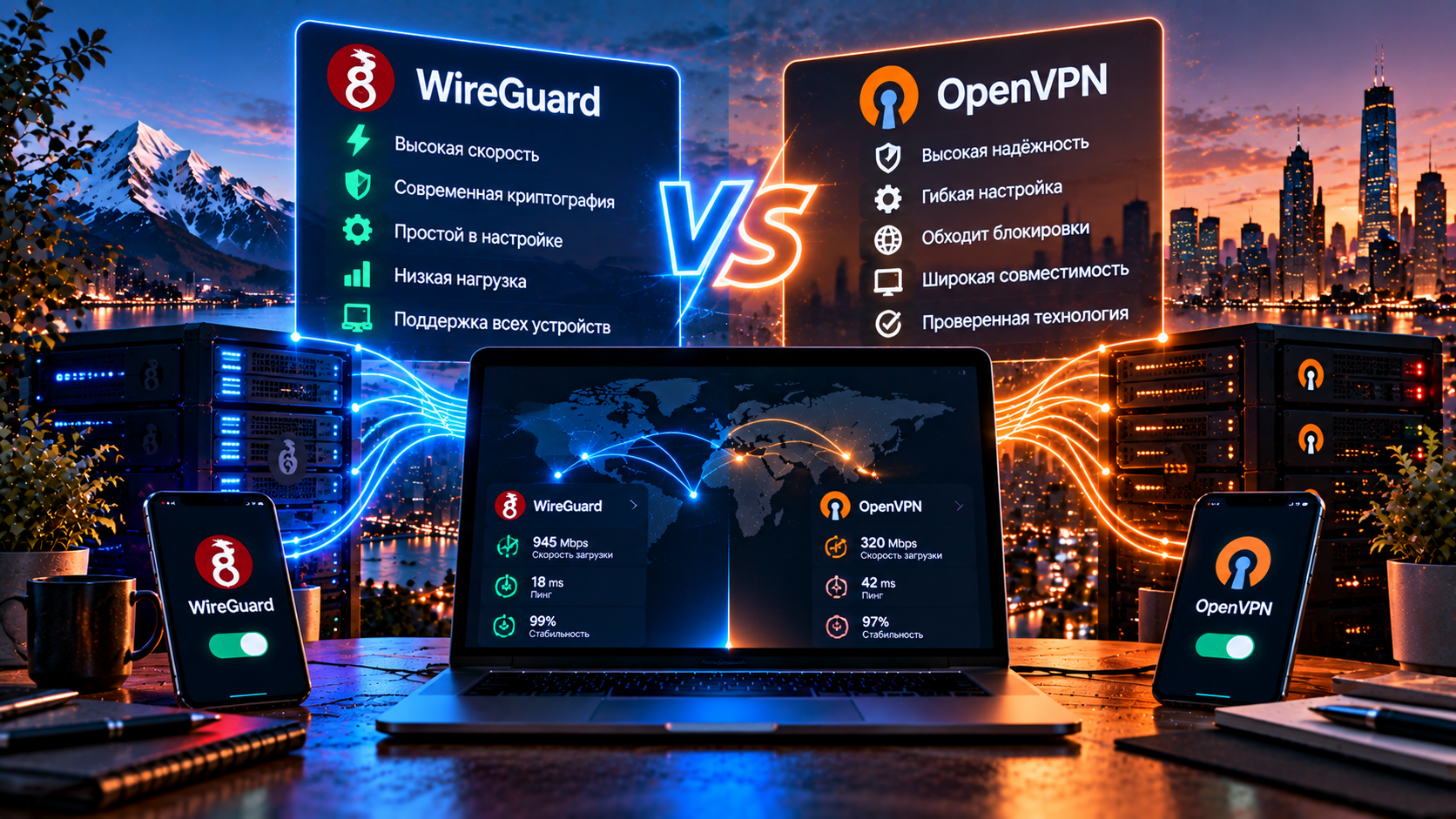
There are two buttons in the account: WireGuard and OpenVPN. I roughly know what most people do: look at them for a second, click the first one that comes to hand, and get on with their day. From the outside, the result looks the same.
As long as everything works, there is no difference. I do not think about it either. The difference shows up later.
And, as usual, it shows up at the worst possible moment: the speed suddenly drops by half, or the tunnel disconnects exactly when you leave the building and your phone switches from Wi-Fi to mobile data, and you spend three minutes tapping the screen before realizing that the operator is not the problem. I have been putting these two protocols into different boxes for about five years, and I hear the question “WireGuard or OpenVPN?” more often than almost any other. So I will answer at length. The short answer (“choose WireGuard, it is faster”) is correct about sixty percent of the time. The other forty percent are exactly the people who write to support a week later.
If you want the short version: one is faster, the other gets through more gaps
WireGuard is speed, negligible hardware overhead, and a connection you barely notice. It was designed by people who were probably thinking the same thing I thought when I first opened an OpenVPN configuration: why is there so much stuff here?
OpenVPN is compatibility. It is more than a decade older, can run over TCP, can sit on port 443, and can get through places where WireGuard cannot. The price is familiar: lower speed, more CPU load, and a configuration file roughly ten times larger.
And one more thing before all the tables. If your goal is to bypass Russian internet blocks, the honest answer is this: both handle it poorly. Not because they are bad, but because current filtering systems can identify them. There is a separate section about this, and, frankly, it matters more than half of what comes before it.
[Image: comparison table of WireGuard and OpenVPN across key parameters]
Four thousand lines versus seventy thousand: why code size matters at all
This is usually presented as a marketing fact: WireGuard has around four thousand lines of code, while OpenVPN has tens of thousands. Impressive. And not immediately useful.
Let me translate it into human terms. Imagine two locks: in the first, there are four parts; you put them on a table and make sure there are no unnecessary levers. The second has forty parts and adapters for different doors — more universal, no question, but you cannot realistically check every part of it yourself. That is, honestly, the whole difference. A compact codebase can be audited as a whole; auditing OpenVPN is a project measured in months. This does not mean “WireGuard is more secure”; it means it has a smaller attack surface. Those are not the same thing, although in practice they are related.
The downside of compactness is rigidity, and this is where WireGuard gets criticized: it does not let you choose the cipher, does not let you choose the mode, does not support TCP, and generally does not negotiate its configuration. It does one thing well and considers everything else someone else’s problem. That is also why its configuration can be easy to get wrong — sometimes in a way that leaves it working while making it less secure. I have seen configurations with server certificate verification disabled. The owner was sure everything was protected because the icon was still there. Such files are often not written from scratch; they are inherited. Someone downloads a working example from a forum, it works, and the same thing gets copied around an office for years. Nobody rereads what already works.
Speed and latency: where the gap comes from and how honest it is
WireGuard is faster. That is not really controversial; it is reproducible on test setups, and I have never seen the opposite. The question is how much faster.
Let me make a methodological disclaimer first, because the internet is full of percentages with unclear origins. I once tried to combine other people’s measurements into one table until I realized I was combining incomparable things. The result depends on the connection, its load, the processor, MTU, and time of day. A gigabit connection and a modern laptop produce one set of numbers; mobile internet and an older phone produce another. Both measurements can be honest, and neither is a universal truth.
So I will put it qualitatively. On a fast connection, starting at around one hundred megabits, the difference is obvious: WireGuard can deliver noticeably more, sometimes one and a half to two times as much. On a slow connection, the difference almost disappears.
There are three reasons for the gap, and all of them are rather boring. On Linux, WireGuard lives directly in the kernel rather than in a userspace application, so packets do not have to be moved between layers. Its cryptography is chosen to work well on real processors, including weak mobile hardware. And the handshake is literally a couple of packets, whereas OpenVPN establishes a full TLS session with all the negotiation involved: “instant” versus “one to three seconds.” A small thing. But when you bring the tunnel up twenty times a day, a small thing becomes part of the experience.
[Image: illustrative speed and latency chart for WireGuard and OpenVPN, with a note about the measurement methodology]
Cryptography: a fixed set versus a cabinet full of settings
WireGuard does not ask what to use for encryption. Its algorithm suite is built into the protocol: you cannot change it, weaken it for old hardware, or accidentally select something outdated from a long list because there is no such list. The developers chose for you, and they chose modern primitives. There is one significant downside: if a flaw is found in one of the algorithms, the protocol itself has to change rather than a configuration checkbox.
OpenVPN opens a cabinet in front of you: cipher, mode, hash, key length, authentication method. Need custom cryptography to comply with a corporate policy? You can configure it. The flexibility is real, and I know companies that stay on OpenVPN precisely because of it. The same flexibility, however, is responsible for many configuration mistakes.
A phone in your pocket: what happens when Wi-Fi switches to LTE
This is where WireGuard wins not by a percentage but qualitatively, and it is probably my favorite part of it.
The difference is in how the protocol understands who it is talking to. OpenVPN keeps a session tied to a connection, and when your IP address changes, the session breaks: it has to reconnect, establish TLS again, and wait. Worse, the application does not always notice immediately that the tunnel has died, so you discover it a minute later when your messenger has gone silent. WireGuard does not maintain a session in the traditional sense: it knows the peer’s public key and accepts packets from a new address as long as they decrypt correctly. That is roaming. You leave the subway, the network changes, and the video may not even stutter. For a phone, in my experience, this is a stronger argument than speed.
There is a nuance that is rarely mentioned, but it once consumed an entire evening and what was left of my faith in myself. WireGuard stays quiet when there is no traffic, which sounds great because the battery lasts longer. But behind a carrier NAT, the connection mapping can expire and incoming packets stop reaching you — the tunnel appears to exist, but nothing works. The fix is the PersistentKeepalive parameter, usually set to 25 seconds. Ready-made configurations already include it. But if you build a tunnel manually, do not forget it, or you may spend half the night blaming the router, the ISP, and the universe, as I did.
The uncomfortable truth about IP addresses in a WireGuard configuration
This section is usually missing from comparisons. It should not be, and I do not like that.
Each WireGuard peer is assigned a fixed internal address — it is not temporarily handed out and forgotten. The address is part of the architecture: roaming and peer identification rely on this mapping. The consequence is simple: the server permanently stores a pair of “public key — internal IP,” and the interface also remembers the last external address from which you connected. In other words, WireGuard knows more about you than someone who bought a VPN specifically to avoid that might expect. OpenVPN is more transient here: it assigns addresses from a pool, and the association exists only for the duration of the session.
This is handled on the service side: a provider can put a layer in front of WireGuard that shuffles these mappings and avoids long-lived logs. Asking the provider about this is reasonable, and an answer like “we do not keep logs” without details is not very informative. How we handle it is described in our privacy policy.
DPI: why OpenVPN on port 443 sometimes gets through while WireGuard does not
This is the most painful part for users in Russia. I will not sugarcoat it.
WireGuard works only over UDP and fundamentally does not support TCP. Its authors argue that putting a tunnel over TCP creates the famous “TCP over TCP” problem: two retransmission mechanisms interfere with each other and the channel can collapse for no obvious reason. Technically, they are right. That does not make the problem any less relevant to us.
Because UDP on non-standard ports is often filtered first, and WireGuard’s handshake also has a recognizable pattern: characteristic initial packet sizes and a predictable sequence. The contents do not need to be decrypted. The shape alone can be enough.
OpenVPN has a different story, and I once considered it the answer to this problem myself. It supports TCP, which means it can sit on port 443 — the same port used by HTTPS across the internet. That is why the query “OpenVPN TCP 443 bypass blocks” became so popular: the technique worked, and three or four years ago it worked very well. The key word is “worked.” Similar does not mean indistinguishable, and the difference appeared exactly where it should have: OpenVPN has its own TLS fingerprint — the order of extensions in the client hello, cipher suites, and the timing of the first packets. A browser says hello to a website differently. The difference is small but stable, and a stable small difference is exactly what filtering systems are good at finding. There is also the behavior: a browser retrieves a page and stops, while a tunnel can hold a connection for hours and send a steady stream in both directions.
The conclusion is unpleasant but honest. OpenVPN over TCP/443 can buy you some time — sometimes weeks, sometimes months. But that is not camouflage. It is camouflage in an open field, and I stopped recommending it as the primary solution after getting burned by it myself.
A ten-parameter table and what it actually tells you
A VPN protocol comparison is easier to read in one place — WireGuard vs OpenVPN as of autumn 2026.
| Parameter | WireGuard | OpenVPN |
|---|---|---|
| First released | 2016, in the Linux kernel since 2020 | 2001, mature and widely tested |
| Code size | About four thousand lines | Tens of thousands of lines |
| Transport | UDP only | UDP or TCP |
| Speed on a fast connection | Higher, with a noticeable gap | Lower, more CPU-bound |
| Latency and jitter | Lower and more consistent | Higher, especially over TCP |
| Device load | Minimal, better battery life | Noticeable on weak CPUs |
| Cryptography | Fixed and modern | Configurable, with more room for mistakes |
| Wi-Fi ↔ LTE switching | Seamless, roaming built in | Disconnect and reconnect |
| DPI resistance | Low, handshake can be identified | Medium over TCP/443, low over UDP |
| Router support | Broad and often built in | Broad, but can be slower |
Which VPN protocol is better depends on what problem you are trying to solve. There is no other honest answer.
You need speed. WireGuard, without much debate: the difference in WireGuard speed on a good connection is immediately noticeable.
You need stability on a phone. WireGuard again, because of roaming. See also our guide to VPN for mobile internet.
Old hardware and corporate control. This is where OpenVPN fits better: an old router or industrial controller that nobody wants to touch may already have it installed. Certificates and policies are another reason; for employee remote access, it remains a practical option.
You need to bypass a block. Neither. The next section explains why.
[Image: decision tree showing which protocol fits which task]
What if neither one is suitable?
The situation for many users in Russia looks like this: WireGuard is detected, OpenVPN lasts a little longer but eventually goes down too, and you keep pressing one button and then the other, sometimes repeating both, while neither helps. The reason is frustratingly simple: both protocols were designed for a world where nobody was actively trying to identify them.
Another class of protocols addresses that problem. VLESS with XTLS-Reality does not simply try to hide the tunnel — it is designed so that the connection can look like ordinary HTTPS to a real popular website. The idea is not merely to resemble HTTPS, but to blend into normal traffic by using a real certificate and making the visible connection details line up. The first two try to hide. This approach tries to blend in. See our detailed VLESS guide.
A practical approach for VPN protocols in Russia is therefore to use WireGuard at home on a wired connection where it is not being filtered, for the speed, and VLESS with Reality on a mobile operator that filters aggressively. You should be able to switch between them rather than choose once and forever. If everything keeps failing and you cannot tell why, start with our VPN connection check: it takes half a minute and shows whether your address changes and whether there are DNS leaks. For the broader picture of filtering, see our page about bypassing internet blocks.
What to remember if you only skimmed
WireGuard is faster, lighter, handles network changes better, and is easier to audit. It is my default protocol wherever there is no filtering.
OpenVPN is slower and heavier, but it supports TCP, works on a wide range of hardware, and provides corporate controls that WireGuard does not.
And the main lesson I have learned over these five years is this: do not tie yourself to a single protocol. What flew in January may not connect at all in June.
HubHide offers both protocols plus VLESS, with one-click switching. The 14-day trial does not require a card: try all three on your own provider — it is the only honest way to find out what works for you. Clients are available in the downloads section.
Frequently asked questions
Which is faster: WireGuard or OpenVPN?
WireGuard, and on a fast connection the difference is noticeable — sometimes one and a half to two times. The reasons include kernel-level operation, lightweight cryptography, and a short handshake. On a slow connection, the difference becomes smaller because the bottleneck is no longer the protocol. Exact figures depend on the hardware and ISP, so I would not treat universal percentages from the internet as reliable benchmarks.
Which protocol is more secure?
With proper configuration, both provide strong protection, and choosing between them simply by asking which is “more secure” is not very useful. WireGuard has less code and fewer configuration choices where mistakes can be made; OpenVPN offers more flexibility and therefore more ways to configure it incorrectly. One WireGuard-specific consideration is its persistent mapping between a peer key and an internal address, which a service provider should handle appropriately on its side.
Why is WireGuard blocked?
It works only over UDP and has a recognizable handshake: the initial packets have characteristic sizes and arrive in a predictable sequence. Their contents do not have to be decrypted; the traffic shape can be enough. That allows filtering systems to identify it quickly, while UDP on non-standard ports may already be treated with suspicion.
Which protocol should I choose for a phone?
If your operator does not filter it, WireGuard is a strong choice: it can survive the switch from Wi-Fi to mobile data without a traditional reconnect and is efficient with battery power. If the connection keeps dropping, the issue may not be solved by choosing between these two — try VLESS with Reality. Switching is easiest through the clients in the downloads section.