https://hubhide.com/en/blog/bypassing-internet-blocks-2026/Bypassing Internet Blocks in 2026: VPN, Proxy, Shadowsocks, Xray Reality — What Works and How They Differ
The same scenario repeats month after month. In the morning someone opens a familiar website and gets an endless loading screen — not an error, not “page not found,” but that suspended state where the browser keeps spinning as if everything were perfectly normal.
Then they start looking for a way around the block and get a mess of advice: someone says “just install a free VPN,” someone posts a link to a program on a forum whose last message is two years old, and someone else recommends Tor without explaining anything. Every suggestion sounds equally confident — confidence is cheaper than verification. There is nothing to verify them with. The first thing that looks promising gets installed. After that, it is luck.
I have rebuilt these setups dozens of times — for myself, friends, clients, and during that entertaining period when everything broke every other week and I came to hate the phrase “but it worked yesterday.” I’ll try to put it into categories: what kinds of blocking bypass methods exist, where each one breaks, and what makes sense as of September 2026.
One disclaimer first: I have a vested interest because I work for a VPN service, so pretending to look at all of this from a perfectly neutral height would be dishonest. I’ll compensate by being honest about where we lose to free tools. We do. Noticeably.
There will be no magic pill at the end.
Three Fundamentally Different Approaches: Tunnel, Intermediary, Packet Manipulation
All blocking-bypass methods, no matter how many a forty-item roundup manages to list, come down to three ideas. Really three — I tried to find a fourth and failed. Everything else is variation and packaging.
First — tunneling. You establish an encrypted channel to a server in another country and send all traffic there. The ISP sees only an exchange of incomprehensible bytes with some address; it does not know what is inside or where you ultimately go. That is how VPNs work in any form.
Second — proxying. The key difference is that a proxy works at the application level, while a VPN works at the system level. Your messenger, email, background updates and everything else that normally connects directly continue to do so.
Third — manipulating the packets themselves. Nothing is encrypted, nothing is tunneled, and there is no foreign server at all. Data is sent in a form that prevents the filter from understanding which website you are accessing. This is the territory of local DPI bypass tools.
There is another important point that is often missed: blocks themselves are different.
- By IP — crude and simple: the address is on a list and packets never reach it. Any tunnel or proxy can usually solve this.
- By DNS — the site name is not resolved to an address. Often this can be fixed by changing the DNS server, without any bypass tool at all.
- By DPI — equipment inspects the connection, sees the site name in an exposed field during secure-connection setup, and blocks that specific destination. This is where all the camouflage work begins.
Half the differences between methods are explained by exactly this: what type of filtering the method was designed to defeat. I honestly did not understand for a long time why the same program fixed everything for one person and nothing for another — until I realized they were on different providers with different filtering rules, and the tool itself had nothing to do with it.
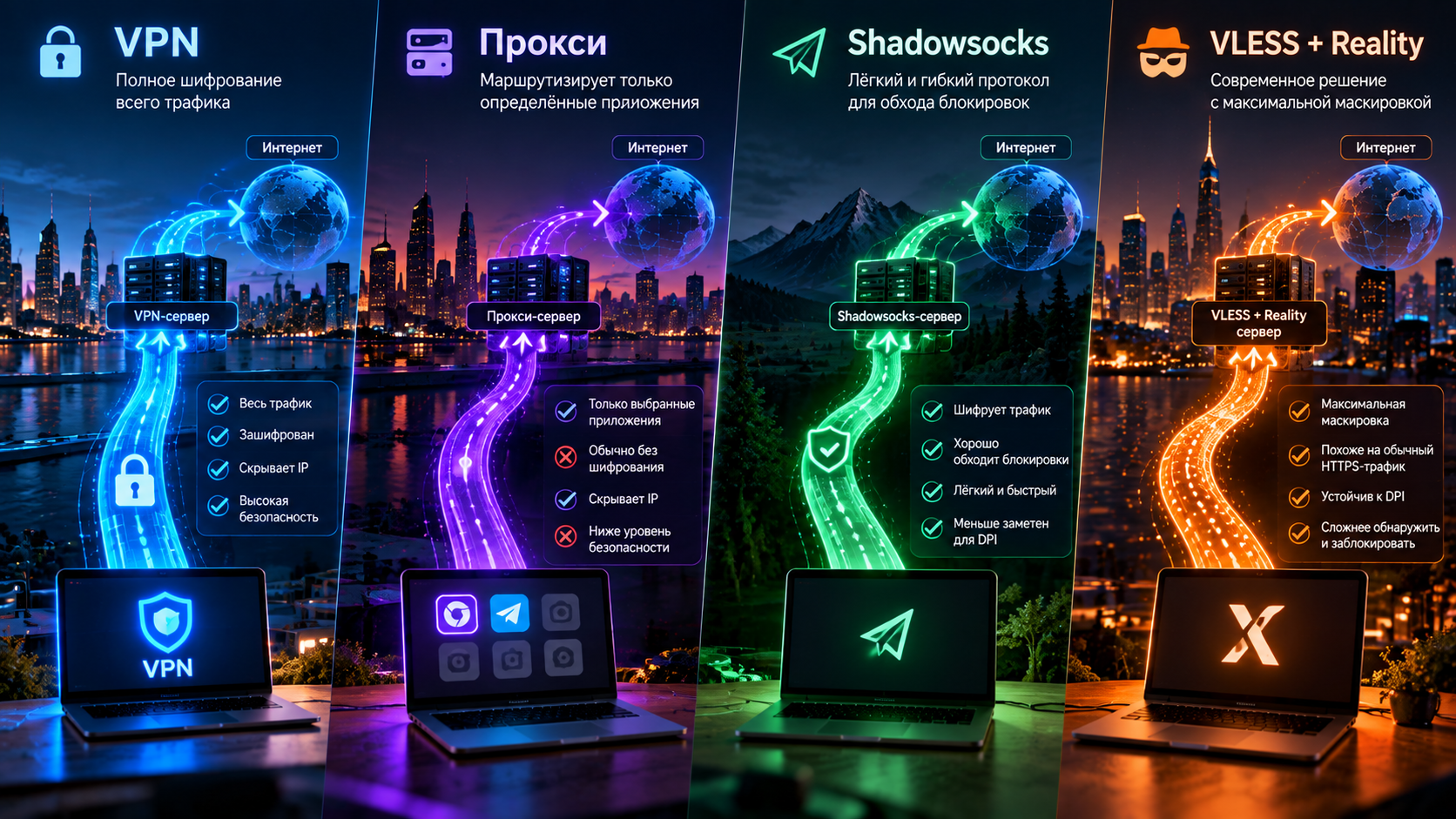
[Image: diagrams of three approaches in one visual style — tunnel, intermediary, packet-shape manipulation]
Classic VPN: How It Works and Where It Breaks
OpenVPN and WireGuard are the two pillars that supported the entire market for a decade.
WireGuard is young and compact, lives directly in the Linux kernel, and beats everything I have tried on speed. It handles switching between Wi-Fi and mobile networks more calmly than anything else: the connection does not simply die, but continues from the new address. I consider it one of the best things to happen to the field in a decade: a persistent reader can go through the source code in an evening and understand it.
OpenVPN is older, heavier and more flexible. If there is a ten-year-old router sitting on a shelf somewhere, the odds that it supports OpenVPN are higher than for many modern alternatives. The price is resource consumption. I once spent half a day trying to figure out why a gigabit office connection was delivering only a hundred megabits through the router. The answer was boring: it could not encrypt fast enough.
And now the unpleasant part.
Both protocols have a recognizable fingerprint, and that is the problem. WireGuard has a distinctive structure in its first handshake packet, identifiable from just a few bytes. OpenVPN has its own recognizable sequences at the start of a session. But to block a connection, there is no need to decrypt it — identifying what it is can be enough. People constantly confuse these things, and explaining the distinction has probably been one of my most frequent tasks: someone hears “the protocol can be identified” and assumes someone is reading their messages. They are not. The connection is simply switched off.
That is the source of much of the pain over the last few years and half of the support requests. It works and works, then one day it stops because the filtering rules were updated. And it does not always fail completely, which is the most annoying part: speed drops to an absurd level and the connection breaks every few minutes. People blame the ISP, then the router, then the weather, and only a week later figure it out. I have read hundreds of such messages. The wording is almost always the same: “my internet is acting weird.”
Proxy: HTTP, SOCKS5, MTProto — and the Catch
The question “VPN or proxy,” in my view, is badly phrased — roughly like asking “hammer or screwdriver.” A proxy is an intermediary. More precisely, an executor: you tell it “go to this address,” it goes there and brings the answer back. There are three and a half common varieties.
HTTP proxy understands web traffic only and is essentially outdated. SOCKS5 is more universal and does not care what you send through it. And here comes the first trap: SOCKS5 does not encrypt traffic. At all. If the application has no encryption of its own, the contents are visible both to the intermediary and along the route — and I have met people who lived with SOCKS5 for years believing “everything is encrypted” because that is what they were told when they bought it.
MTProto proxy is a different animal built for one messenger. It has its own encryption and camouflage, but only for that use case.
The second trap is coverage. A proxy protects the application where you configured it and not a centimeter beyond that. Someone configures a proxy in a browser, celebrates, and then wonders why nothing changed on the phone. Well, because the proxy was not configured there.
The third trap, and the most painful one, is public free lists. It is a lottery with no prize: you hand your traffic to someone you know nothing about — who they are, what they do with your data, or why they give it away for free when bandwidth costs money. Sometimes, honestly, they do nothing. Sometimes they modify page contents and inject their own advertising. The same logic applies to free VPN apps, which deserve a separate and rather unpleasant discussion. I would not take the risk.
Shadowsocks and Obfuscation: The First Attempt to Hide
Shadowsocks appeared as a direct answer to this problem. The idea was elegant, and I still like it. Instead of building a “VPN,” make an encrypted proxy without a recognizable handshake: no structure for a filter to latch onto, just a stream of random-looking bytes from the outside. I remember the first time I started it — it was so simple that it seemed unreal. It worked. And it worked for years.
Then the predictable happened, although it did not look predictable at the time. It turned out that a “stream of random bytes” is itself a recognizable characteristic, and a strong one. Normal traffic does not look like that: it is either open or encrypted but wrapped in a recognizable protocol, while uniform noise with no clear beginning or end is unusual. By combining enough signals, systems learned to detect it. Then came active probing: the filtering system connects to an address itself and examines the response. A real server responds like a real server. A Shadowsocks server responded with silence or garbage. A perfectly valid answer — just not the expected one.
Obfuscation plugins came next, wrapping the traffic to resemble web traffic. It helped. Fine, it helped for a while.
So if someone asks “Shadowsocks vs VPN — which is better?”, the honest 2026 answer is: it was good, it is still alive in places, and I keep one configuration as a backup myself, but I would not choose it as the primary option in Russia today. Its successors have moved past it.
VLESS + XTLS-Reality: Why It Is the Current Practical Choice
The evolution here is actually quite elegant.
First people tried to hide in noise. That failed because the noise itself became noticeable, so the approach changed: do not hide — imitate. Make the traffic look not like “nothing,” but like an ordinary visit to an ordinary website over a secure connection, which is almost all modern internet traffic.
The first version was a tunnel inside a genuine secure connection, with its own domain and certificate. Much better. But there was still a tell: the domain was new, only one person connected to it, and if you opened it in a browser there was no website. Nothing. That emptiness gave the construction away.
Reality removes that tell, and that is the whole trick. Instead of using its own domain and certificate, the server presents the certificate of a real third-party website during the handshake — a large, live, known-unblocked site. From the outside, it looks like you simply opened that website, like millions of people do. If the connection is actively probed, a working real resource appears. There is, so to speak, nothing suspicious to find.
That is why Xray Reality holds up where other methods fail: it does not provide an easy fingerprint to block. You cannot simply block something that looks like the rest of the internet.
There are costs, of course, and I see them every day. The client has to be installed separately, and there are now so many apps that people get lost. Routers require more work than WireGuard. And this is not permanent, even if it is tempting to think otherwise: armor and projectiles keep competing. For now, though, it works better in this particular environment. If you need access right now, see our RKN blocking-bypass guide for concrete setup details.
Hysteria2 and QUIC: Speed When the Connection Is Bad
This is a separate branch that popular roundups barely mention. Which is a shame.
A classic TCP tunnel hurts itself when packets are lost. That is not a bug but expected behavior: congestion control sees packet loss, decides the connection is congested, and reduces the speed. On a good wired connection, that is exactly what you want. On mobile internet on a train, where packets are lost because the radio link is unstable rather than because the network is congested, it can be disastrous.
Hysteria2 and other QUIC-based approaches handle this differently. They work over UDP and use their own algorithm, which reacts to loss more calmly and keeps sending data. On a poor network the difference can be measured not in percentages but in multiples — I first saw it on a train and immediately wondered whether I had imagined the result.
The drawbacks are significant. Large volumes of UDP traffic on non-standard ports look unusual, and some networks throttle or silently discard it.
As a backup profile when the primary connection slows down on mobile networks, it is useful. See our mobile-network guide for more on the subject.
Local DPI Bypass Tools: What GoodbyeDPI and Zapret Can Do
People often ask how to bypass a block without a VPN, and there is an honest answer: local bypass tools.
The program sits between applications and the network interface and modifies outgoing packets: splitting them, reordering them, inserting junk. The idea is to break the website name that the filtering equipment looks for at the beginning of a connection into pieces so it is not reconstructed into a recognizable string. No match, no block.
And it genuinely works. Not “sort of” — it works: free, without a foreign server, and with practically no speed loss because the traffic is not routed elsewhere. For someone who only needs to fix a couple of websites on a home computer, this can often be the best solution — and it would be silly to say otherwise just because I sell something else. I do. But I am not going to tell someone to buy something they do not need.
The limitations are strict. A local bypass tool does not encrypt traffic and does not change your IP address. That means services that determine your country from your IP will continue to behave exactly as before. And it works only on the device where it is installed: your phone, TV and set-top box remain unchanged. I have this conversation every week.
Another issue is that the techniques become outdated: update the filtering rules and you may have to look for new parameters on a forum.
See our article about bypassing restrictions for more detail. The tool works; the use case is narrow.
Tor and Bridges: Powerful, Slow, Not for Every Day
Tor solves a different problem. A completely different one, and that is the source of a lot of confusion.
It was not designed for watching videos but for anonymity — so that nobody, including the operator of an intermediate node, can directly link you to what you open. Traffic is wrapped in three layers of encryption and passes through three random nodes, each knowing only its neighbors. The entry node knows you but not where you are going; the exit node knows the destination but not who you are; the middle node knows neither. That is the whole point.
The design is brilliant, and I still admire it. The price is speed: three hops through volunteer hardware with unknown capacity. It is not “a little slower,” but several times slower.
Tor itself is also blocked in many places — the list of public nodes is open, so they can simply be filtered. That is what bridges are for: non-public entry points provided on request, often combined with obfuscation so that the connection to the bridge is harder to identify.
Summary Table: What Should You Compare?
I put everything in one place. The ratings are generalized: the result depends on the ISP, region and time of day, but the overall relationship is represented correctly.
| Method | Speed | DPI resistance | Changes IP | Encrypts | Setup complexity | Device coverage | Price |
|---|---|---|---|---|---|---|---|
| WireGuard | Maximum | Low | Yes | Yes | Low | Full, often out of the box | Paid |
| OpenVPN | Medium | Low–medium | Yes | Yes | Medium | Full, including older hardware | Paid |
| HTTP / SOCKS5 proxy | High | Low | Yes | No | Low | Configured application only | Varies |
| MTProto proxy | High | Medium | Yes | Yes | Low | One messenger | Usually free |
| Shadowsocks | High | Medium | Yes | Yes | Medium | Broad, client required | Paid |
| VLESS + XTLS-Reality | High | Very high | Yes | Yes, through TLS | Medium | Broad, client required | Paid |
| Hysteria2 / QUIC | Very high on poor networks | High | Yes | Yes | Medium | Broad, client required | Paid |
| Local DPI bypass | No loss | Medium, quickly becomes outdated | No | No | Medium–high | This computer only | Free |
| Tor with bridges | Low | High | Yes | Yes, three layers | Low | Browser, less often the whole system | Free |
[Image: summary comparison table of blocking-bypass methods as an infographic]
How to Choose for Your Task
Next is the decision tree I go through out loud when someone asks which bypass method is most reliable specifically for them.
Need to fix two or three websites on a home computer and nothing else? Use a local bypass tool, for free. If it works, you can stop reading.
Need the same sites on a phone, tablet and TV as well? A local tool is out: it is not available on those platforms. You need a tunnel.
Need a service to think you are in another country? Use a tunnel or proxy — you need to change the IP address.
Your ISP does not filter anything and you only need raw speed? WireGuard. No debate.
It filters traffic and everything keeps breaking? VLESS with Reality. That is exactly the scenario it was designed for.
Mobile internet, packet loss, everything is slow? Try a QUIC-based protocol as a second profile.
Need anonymity rather than access? Tor — with the understanding that it will not be fast.
Need one messenger and nothing else? A specialized proxy is enough.
Company, branches, employees accessing internal resources? That is a separate case: a corporate VPN with dedicated infrastructure, not a consumer service.
[Image: decision tree “which bypass method should you choose?” — from task to technology]
In Short
Bypassing blocks in 2026 is simple in one respect: there is no universal method.
Local bypass tools are free and solve a narrow problem on one computer — I regularly recommend them to people who need nothing else. A proxy is useful for one application and risky when taken from a public list. Classic VPNs cover the whole system but are relatively easy for filters to identify. VLESS with Reality hides itself best for a funny reason: it does not really hide at all; it imitates ordinary traffic.
Will it be the same a year from now? I do not know. Nobody does. Blocking and blocking bypasses in Russia evolve in parallel, and the important thing is not to guess a winner but to retain the ability to move to a new solution without pain when the current one stops working.
At HubHide we use VLESS with Reality and update configurations on our side — for the client, this looks like new nodes appearing in the application. The trial is 14 days, free and without a card. Test it with your own ISP and devices before paying: trust your own test, not somebody else’s article. Even this one.
Frequently Asked Questions
What is better for bypassing blocks: VPN or proxy?
A VPN if you need the whole system to work rather than one application. A proxy protects only the application where it is configured, and with SOCKS5 it also does not encrypt traffic — something, judging by the questions I receive, that many users do not realize. A proxy makes sense as a targeted tool for one task; a VPN is the general-purpose solution.
How is Reality different from a regular VPN?
A regular VPN creates a tunnel with a recognizable fingerprint of its own, and filtering equipment can learn to detect that fingerprint. Reality does not use its own certificate — it presents the certificate of a real third-party website, so the connection looks like an ordinary visit to that site. There is nothing artificial to probe: there is a real live resource there.
Do GoodbyeDPI and Zapret work?
Yes, they work — on the computer where they are installed, and until the next update to the filtering rules. But they do not encrypt traffic, do not change your IP address, and cannot be installed on a phone, TV or set-top box. As a free solution for one home PC, they are fine; as the only way to provide access for all devices in a home, they are not.
Which method is the fastest?
On a good wired connection, WireGuard has the lowest overhead. On unstable mobile networks, QUIC-based protocols often perform better because they do not reduce speed as aggressively when packets are lost. A local bypass tool formally adds no speed loss at all, but it is not a tunnel.