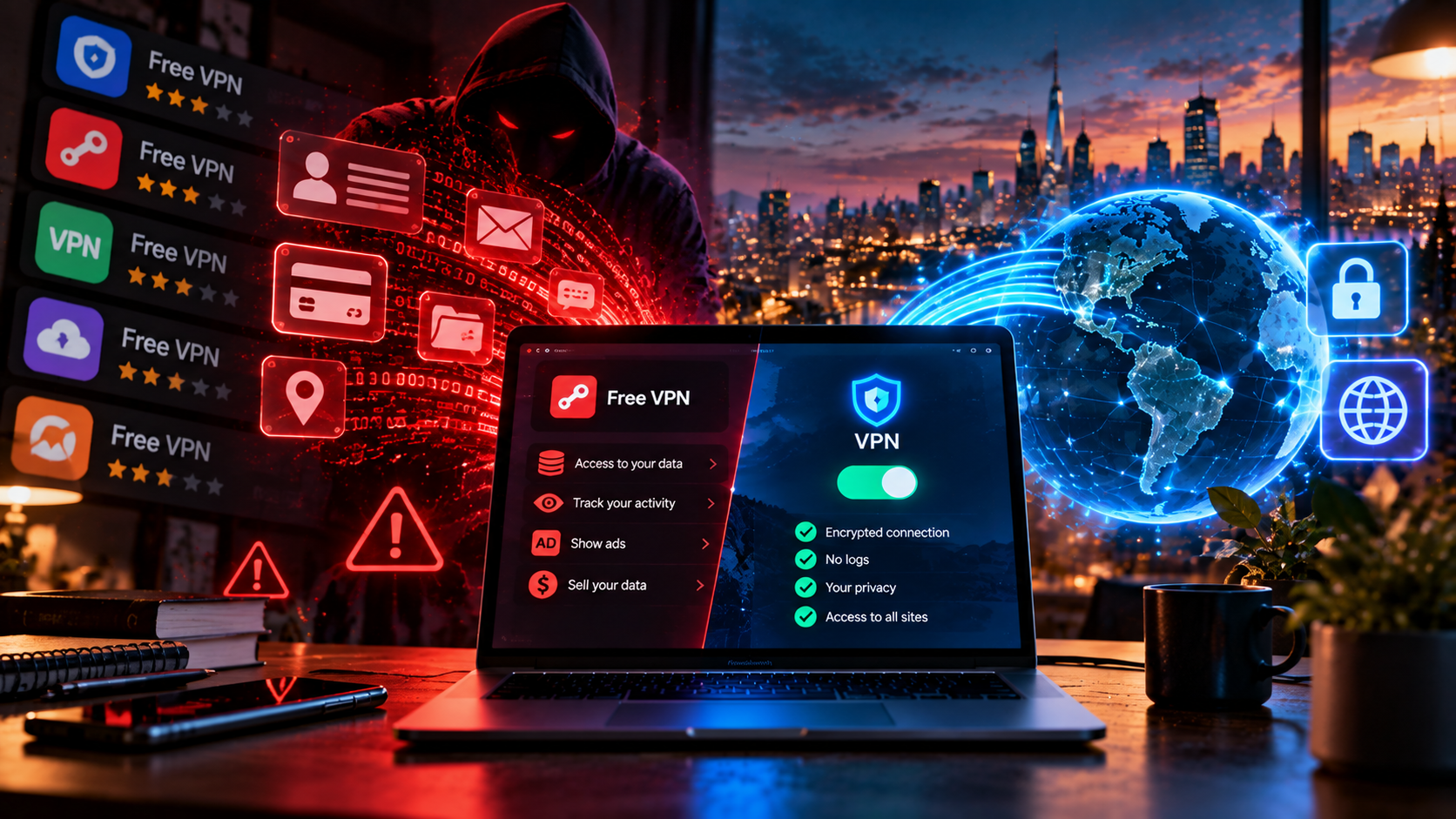
I’ll start with a question that’s uncomfortable for me. I work at a paid VPN service, and an article about the dangers of free ones looks exactly the way it looks — I understand that and I agree upfront. So I’ll do without pathos and scare stories, and just show the arithmetic that anyone can recheck themselves.
The arithmetic is this. A server costs money every month. Bandwidth costs money. Addresses cost money, and clean ones, the kind that don’t trail a tail of someone else’s mischief behind them, are noticeably more expensive than dirty ones, and nobody usually thinks about this line item. The person who fixes all of this at night also wants a salary. If a service runs dozens of servers and doesn’t take a single cent from you, the money comes from somewhere else. Not out of thin air.
The question isn’t whether a free VPN makes money. It does. The question is — on what.
And right away let me note an important distinction I’ll return to at the end: “free forever” and “a free trial of a paid service” are two fundamentally different models, and lumping them together is wrong.
Four ways to make money on free
There are, as I see them, four monetization schemes. Sometimes they’re combined.
Advertising. The most harmless one, to my taste. Banners in the app, ads on connection, substitution of ad blocks on websites. Annoying, but the data doesn’t necessarily leave, if I’m honest.
Selling data. Browsing history, interests, installed apps, geolocation — all of this is worth money. Anonymized, of course. The word “anonymized” does a lot of work here: device model, app list, and movement route are enough to recognize a person without a name, and every time I’m amazed at how little data is needed for it to become unambiguous.
Renting out your channel. The most unpleasant one, and I’m not exaggerating. There’s a separate section about it below, by the way.
Upsell. The free version is deliberately made inconvenient so you pay for the proper one. An honest model, let’s say — if the free version doesn’t have the things listed above.
[Image: infographic “how a free VPN makes money” — four monetization schemes]
This shows why a free VPN is dangerous not in itself but depending on the chosen model. An app with ads and an app trading in browsing history are fundamentally different things, even though in the store they look completely identical, with the same four stars and the same screenshots of a globe and a shield.
You’re not the client, you’re the product: what exactly is being sold
A worn-out phrase, and I’ve long disliked it, but here it’s literal. I’ll list only what I’ve seen myself.
- The domains you visit. Even if the contents are encrypted, the list of sites is visible to the tunnel operator. From it a portrait is reconstructed: what you’re interested in, where you shop, what you’re sick with.
- Timings. When you connect, how long you sit, at what hours you’re active — hence your daily schedule.
- Device identifiers. Model, OS version, advertising ID. They glue a profile together across apps.
- What the app gets through permissions. This is where the interesting part begins.
Free apps regularly ask for permissions a VPN client doesn’t need. Contacts. Precise geolocation, the list of installed programs, sometimes files. Why would a program that redirects traffic need your address book? It wouldn’t. Traffic doesn’t care who’s in your contacts, and in all my years I’ve never encountered a technical explanation that sounded plausible for even a minute.
Separately about geolocation — this is my favorite example of internal contradiction. An app that asks for access to precise coordinates works against its own purpose: with one hand it hides your address, with the other it gives away your street. And you hand over those coordinates voluntarily, in the first thirty seconds after installation, while you still haven’t figured out what’s going on.
[Image: screenshot of the permission list of a suspicious free VPN app]
When your device is rented out
The most serious of the stories, and I know it’s not hypothetical.
The scheme works like this: you install a free app. It does give you access, and for the first few days you’re happy. Meanwhile, your device turns into a participant in a botnet, through which strangers’ traffic flows. Your home address is rented out to those who need a “live” address of an ordinary user: ticket scalpers, mass mailers, and sometimes people with worse intentions. You, of course, don’t know about this. In the agreement you skimmed, it might even be written — in that paragraph nobody reaches.
There have been precedents, and loud ones. A major free service operated exactly this way for a long time: users got access, and their channels were sold through a subsidiary commercial proxy network. It surfaced, a scandal erupted. There won’t be any names here — it’s not about a specific company: what matters is the scheme, and it’s still alive and, I suspect, will be alive for a long time, because the demand for “live” home addresses isn’t going anywhere.
What does this threaten you with personally? The actions of strangers look like yours: the address ends up on offender lists, captchas pop up at every step, a store silently declines payment, and in the worst case something is done from your address that later brings questions — and you’ll be the one who has to explain, not the one who made money off it.
You can check in a minute whether an address has been flagged — there’s an IP check against spam databases, and if after installing a free app the address turns up on the lists, that’s an unpleasant little bell.
What has already happened: confirmed stories
I’ll give specifics without names, but the cases are real, I followed them.
Logs that “didn’t exist.” A group of free apps with different names but a common owner claimed no logs. At some point their database ended up on a server without a password: connection history, addresses, in places data that could identify users — and after that they had to talk about “no logs” in the past tense.
Opaque ownership. The service is registered in one country, servers in another, the owner behind a chain of nominee companies. Whom you trusted your traffic to — you can’t find out.
All these stories aren’t about free VPNs always deceiving, but about the fact that you can’t verify its words, and the cost of a mistake is high.
Trackers and analytics: the quiet part
This is rarely talked about because it looks mundane. An app plugs in ready-made analytics and advertising libraries — half the mobile market does this. We, by the way, also look at installation statistics, and it would be strange to deny it. But a VPN client is not a game or a weather forecast. It sees the whole device’s traffic. When third-party analytics lives inside such an app, the question is no longer “do they collect data” but “what exactly flies off to a third party” — and that question won’t be answered for you in the app store, nor in a policy written specifically so that no one reads it to the middle.
There’s one verifiable sign: an independent audit of the policy plus a clear jurisdiction. The rest is promises. Mine, by the way, included.
Why free doesn’t solve the task technically
Let’s set privacy aside, though. Even if a service is crystal honest, there’s pure engineering, and it’s against it.
- Speed. One server for a huge number of users, and in the evening the channel is divided among everyone.
- Few locations. Two or three countries, chosen not for your tasks but for minimum rental cost.
- Dirty addresses. Thousands of people use them, and some of them — not for reading the news. Hence captchas, refusals, and blocks out of nowhere.
- Outdated protocols. VLESS with Reality requires constant work by engineers on the service’s side. Free has nothing to fund that with, so it has what’s easily identified by filters. Under Russian conditions that means “works today, doesn’t tomorrow.”
For a free VPN for Russia, the last point is decisive, and I’d put it above considerations about privacy. You can argue all you like about who collects what data, but if the connection drops on day two, the task simply isn’t solved. The person, moreover, usually doesn’t say “I got scammed.” They say “the internet is kind of weird.” And they go install the next free app from the list.
When free is normal
And now in defense of free, because a black-and-white picture always lies, and I don’t want this text to read as a campaign, and the question “can you trust a free VPN” doesn’t have a single answer: there are situations where such a solution is quite appropriate, and I’ve found myself in them myself.
A one-off task without personal data. Open one article, see what a site looks like from another country — tasks where there’s nothing to lose: you don’t need to log into a bank or email through such a connection, and reading a text without entering anything, why not.
Built-in browser modes. Some browsers have their own secure mode. It’s not a full VPN: it works only inside the browser. But the browser developer’s business model is understandable, and it has no reason to trade in your history.
Free tiers of known paid services. When a company makes money on subscriptions and keeps a free tier as a shop window. Unpleasant, but honest.
And the main distinction I promised to mention. A paid service’s trial is not a “free VPN.” It’s a full-fledged product with the same infrastructure and servers, you just haven’t paid for it yet. The business model doesn’t change: the company earns on subscriptions, not on you. With us that’s 14 days without a card — so a person can test the service on their own provider and devices before paying. These things shouldn’t be confused.
Free, freemium, paid
| Parameter | Free forever | Paid trial | Paid plan |
|---|---|---|---|
| Who pays for infrastructure | Advertisers, data buyers | The service, from subscription revenue | You |
| Speed | Limited, drops at peak | Full | Full |
| Traffic limit | Usually yes | Usually no | No |
| Locations | Two or three | All available | All available |
| Protocols | Outdated, easily identified | Current | Current |
| Data collection | Often part of the model | Per the service’s policy | Per the service’s policy |
| Risk of becoming an exit node | Exists | No | No |
| Support | Usually absent | Full | Full |
[Image: comparison table of free, freemium, and paid VPN]
Checklist: what to check before installing
Five minutes that, in my experience, head off most problems. It’s worth checking everyone, us included.
- Permissions. Contacts, precise geolocation, app list — a VPN client doesn’t need this. If it asks — delete it, no need to look into it.
- Who owns it. Is there a company name and jurisdiction on the site. If the owner can’t be stated in one sentence — that’s the answer.
- Privacy policy. Is there any specificity there: what exactly is stored, for how long, to whom it’s transferred. For comparison, look at what ours looks like.
- Revenue model. If the service is free, it should explain what it earns on. If it doesn’t explain — you already know why.
- Independent audit. A rare thing, but if there is one — for me it’s a strong argument.
- Check after installation. Connected — and immediately look at what’s visible from outside: did the address change, are there any DNS leaks.
- Behavior under stress. Disconnect the tunnel mid-page-load. A good client will cut the connection, a bad one will let traffic go out in the open and say nothing.
What to do with all this
Free VPNs in 2026, in my view, haven’t become safer: infrastructure is getting more expensive, and monetization methods are getting more inventive. The key question when choosing is one: is it clear what the service earns on. If there’s an answer and it satisfies you — use it. If there’s no answer, someone is still paying for the infrastructure, and it will most likely be you — just not with money. Is it worth paying for a VPN? If you need access on all devices, decent speed in the evening, and a connection that doesn’t drop — yes, it’s worth it. If you need to open one page once a month — don’t overthink it, free will do.
And don’t take my word for it, I’m an interested party after all. We offer 14 days free, no card needed: no speed limits, all locations, and no selling your data. Install it, run it on your own tasks, and decide for yourself.
Frequently asked questions
Are free VPNs safe?
It varies, and the problem, it seems to me, is precisely that verifying this from the outside is nearly impossible. A free VPN is dangerous not in itself but through its revenue model: advertising is tolerable, selling browsing history and renting out your channel is not. If a service doesn’t explain what it earns on, assume the worst case.
Do free VPNs sell data?
Some do, and this, by the way, has been confirmed more than once: from open databases with logs at services that promised not to keep them, to embedded third-party trackers in mobile apps. What’s usually sold is visited domains, device identifiers, geolocation, and ad profiles. Formally anonymized, in practice such a set quite allows a specific person to be identified.
Which free VPN can be used?
There are two reasonable options: a browser’s built-in secure mode for one-off tasks, and a free tier or trial of a service that earns on subscriptions. In both cases it’s clear where the money comes from. Apps without a clear owner and without an explanation of the revenue model I wouldn’t install, especially on a phone with work email.
How is a paid VPN different from a free one?
By who pays for the infrastructure. In a paid one — you, and therefore it’s in the service’s interest to maintain speed, clean addresses, current protocols, and support. In a free one the money comes from the side, and your interests aren’t first there. Hence the difference in speed, limits, number of locations, and resistance to blocking.