You open an app store, type “VPN,” and get several screens of results where almost everything is free. The obvious question follows: why would anyone pay?
I do not want to answer “because free is dangerous.” That is sometimes true, but it is incomplete and sounds like fearmongering. VPN articles already contain enough of that. The useful question is what you actually get for the subscription and where the free model has to compromise.
Parameter 1. Speed and Traffic Limits
Free plans are almost always limited by traffic volume, and in real life it looks like this: you receive an allowance for the month, expect it to last until the thirtieth, watch two episodes on Wednesday evening, and suddenly you are done until the first day of the next month.
I think a carpool is a good analogy: it is free, but you travel according to the driver’s route and schedule. Traffic limits are at least honest because they are usually stated as a number. Speed limits are less precise: providers may simply say that speed “can be reduced,” which tells you little about peak-hour performance.
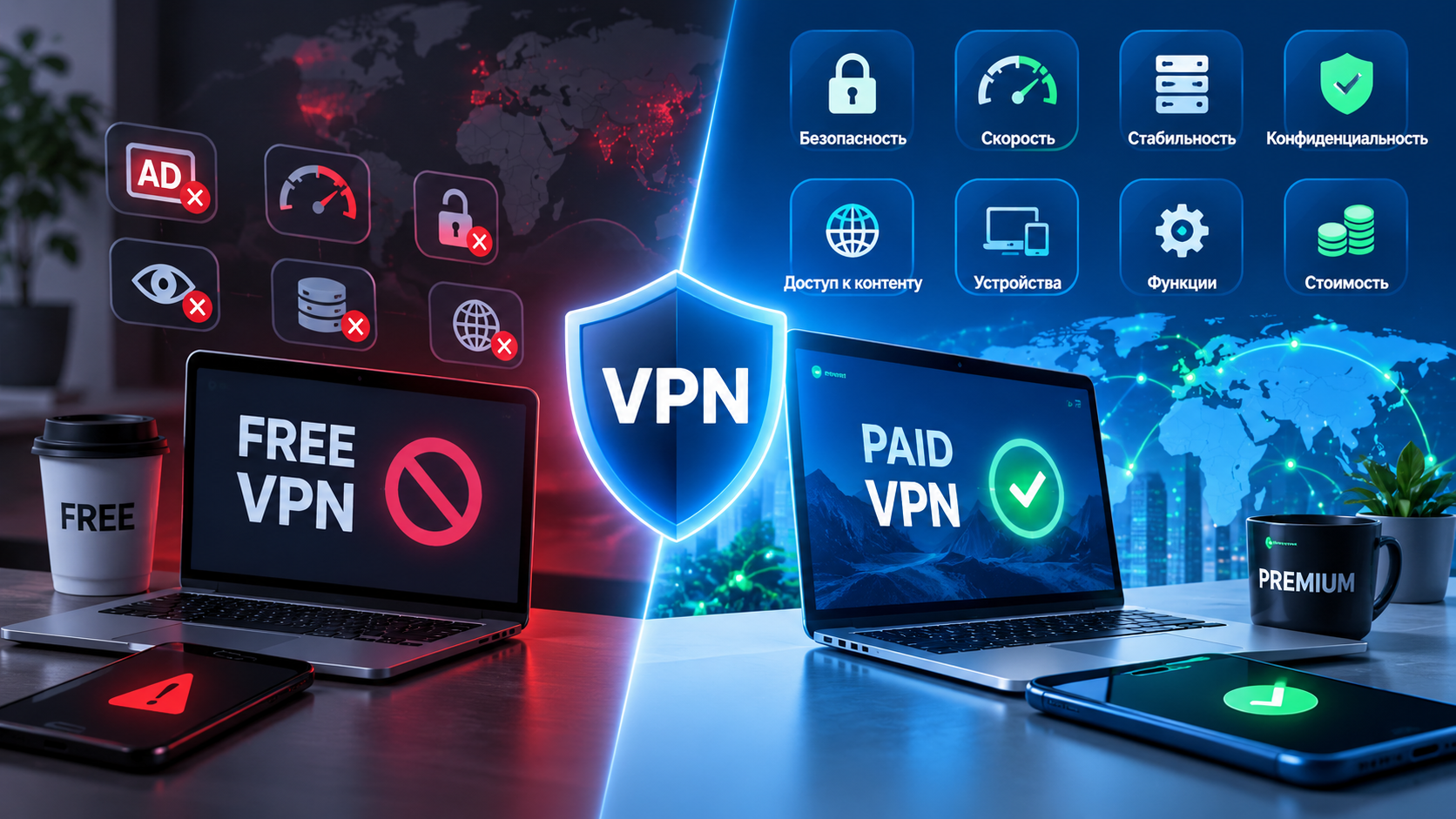
[Image: infographic showing what a subscription provides — speed, traffic, locations, and devices]
Parameter 2. Locations: Not the Number of Flags, but Node Quality
A free plan usually offers two or three countries, selected for cheap hosting rather than for your needs.
But the number is not the interesting part. Quality is. One “server in the Netherlands” can be a cheap virtual machine on an oversubscribed host, while another can have enough capacity and a cleaner network. You cannot learn that from a flag in an app.
In short: counting flags is pointless. Look at the actual speed from your provider to the node.
Parameter 3. Protocols and Whether the Connection Will Survive Until Next Week
This is where I see the largest gap — so large that the other seven parameters can look minor beside it.
Free apps tend to use protocols that are cheap to maintain: OpenVPN, sometimes WireGuard, sometimes something older such as L2TP. Traffic analyzers can identify them from characteristic fingerprints such as packet sizes, handshake order, and headers without decrypting the traffic. The mechanics are covered in the TSPU and DPI article. One response is traffic mimicry: VLESS with XTLS-Reality can look externally like an ordinary HTTPS visit. But that requires engineers to maintain cover sites, watch what is being blocked, and check whether anything broke overnight.
That leads to the most important point of the article. A paid VPN in Russia is not simply a subscription to a server. It can also mean paying for someone to watch what is being blocked, change cover configurations, deploy new nodes, and update configurations — including at night when a new restriction appears. Free services generally do much less of this. Address rotation is part of the same story: paid providers can maintain reserves and replace addresses quickly; a free service may have no reserve at all.
Parameter 4. Logs and How the Service Makes Money
I will keep this short because the subject has a separate no-logs article.
The question is simple: do you understand where the service gets its money? If you pay a subscription, the model is transparent: you are the customer and the provider benefits when you renew. If you do not pay, the money still has to come from somewhere, even if the source is not explained. That does not mean every free service sells browsing history. Some rely on advertising; some use a free tier as a funnel into paid plans. The problem is that you often cannot independently verify the claims, while the cost of a mistake can involve all of your traffic. Paid does not automatically mean trustworthy either, but it gives you more things to verify: the legal entity, jurisdiction, and published policies.
Parameter 5. How Many Devices Can You Connect?
A free app often means one device. Your phone. That is it.
Add a laptop, tablet, router, or TV and you may need another account, then another. A paid subscription commonly allows several connections under one account. That is hardly a luxury today: three or four devices is normal for one person. Routers are especially useful because one configuration can cover the TV and other devices that cannot install a VPN client themselves.
Parameter 6. Support and Response Time
A free service often has no real support. Not “bad” support — no support as a feature.
At most there is a contact form that disappears into the void and a five-question FAQ that has not been updated in years. That is arithmetic, not necessarily malicious intent: a human support agent can cost more than the free plan generates in a month. Support does not matter while everything works. It matters on the evening when nothing works: a blocking wave hits, all nodes fail, and you need to know whether the problem is yours or everyone’s. The difference between services then becomes very simple: is there someone you can contact?
Parameter 7. Stability and Uptime
VPN landing pages love uptime numbers. A beautiful percentage that you cannot independently verify should be treated like any other unverifiable promise. Look at what happens during a failure.
- What happens when a node fails? Does the client silently lose the connection or switch to a live server?
- How quickly is a replacement available? Hours, a day, or a week after an address is blocked?
- Does the provider tell you? Or do you discover the problem yourself when nothing loads?
With a free app, the answers may effectively be: it loses the connection, there is no replacement, and you discover it yourself. There is also a separate risk of the app disappearing from an app store, changing ownership, or simply stopping updates.
Parameter 8. Extra Features: Kill Switch, Split Tunneling, Dedicated IP
These features are often missing from free versions, not necessarily out of spite but because they require development and ongoing support.
Kill Switch. If the tunnel drops, internet access is blocked so traffic does not continue in the clear. With a basic free application, a connection can silently fail while the interface still looks reassuring for a while.
Split tunneling. Some traffic goes outside the VPN. In Russia this can be practical because banks and government services may reject foreign IP addresses. Without exceptions you can end up switching the VPN on and off repeatedly throughout the day.
Dedicated IP. A personal address used only by you. It can reduce CAPTCHA and reputation problems caused by other users. Free services generally use shared addresses.
Protocol choice and router configurations are also small but revealing details. They show whether the product is being maintained seriously or was assembled quickly.
Summary Table and Who Can Actually Use a Free VPN
Here is everything in one place.
| Parameter | Free forever | Paid subscription |
|---|---|---|
| Traffic | Monthly limit | Unlimited |
| Speed | Shared bandwidth, reduced at peak | Full speed, nodes provisioned for load |
| Locations | Two or three, usually cheapest | Available locations with route choice |
| Protocols | Classic protocols, easier to identify | VLESS + Reality, WireGuard, OpenVPN |
| Response to blocking | Usually absent | Address rotation and new nodes |
| Devices | Usually one | Several per account, plus router support |
| Support | None | Human support, especially during outages |
| Kill Switch and split tunneling | Usually absent | Available |
| Dedicated IP | No | Optional |
| Who pays for infrastructure | Someone else, not clearly identified | You |
[Image: comparison table of paid and free VPNs across the eight main parameters]
When Is Free Enough?
Here is the honest part, without which everything above would read like advertising. I usually turn the question “which free VPN is best?” around: not which is best, but what task is a free option actually suitable for. There are such tasks. A free option can work for one-off needs: opening an article, checking how a site looks from another country, or accessing something where you are not entering money or sensitive data. It can also be a useful backup — install it, forget about it, and keep it available if your main service fails.
But if you need a VPN every day, on several devices, for work, banking, or calls, a limited free plan may simply not have the technical capacity. That is different from saying it is automatically unsafe.
“Free Forever” and a “Free Trial” Are Different Things
This confusion causes a lot of poor choices.
Free forever is a separate product with deliberately limited characteristics and a business model funded by something other than your subscription. The limitations are permanent. A free VPN trial is the same paid product before payment: the same infrastructure, nodes, and support. The point of the trial is to let you test the service on your own provider and devices before spending money. The distinction is important: a trial is not a “free VPN”; it is a paid VPN for a limited test period.
[Image: diagram comparing free forever with a free trial — two different funding models]
If You Want the Short Version
The one-line difference between paid and free VPNs is who pays for the infrastructure and whether somebody is responsible for fixing it when it breaks. Whether you need to pay in 2026 depends on what you need. Opening one page once a month does not justify a subscription. Daily use across several devices, work, banking, and calls is a different requirement. The VPN cost article explains the pricing structure, while the VPN selection guide covers the broader criteria.
I would not search for the “best VPN” based solely on someone else’s review. The one that matters is the one that works for you, on your provider, at nine in the evening. That can only be tested in practice.
So do not take the table above on faith. Try the paid level free for 14 days, without a card, with full speed and locations. Test it on your own tasks and run a leak test. That is more honest than any comparison, including mine.
Frequently Asked Questions
How is a paid VPN better than a free VPN?
Usually through unlimited speed and traffic, better locations, protocols such as VLESS with Reality, faster response to blocking, support, Kill Switch, and split tunneling. Most importantly, the customer pays for the infrastructure, so the provider has a direct reason to keep it working and retain the customer.
Are there any decent free VPNs?
Yes, if “decent” means suitable for occasional tasks. Built-in protected browser modes and free tiers of established paid services can be useful when you only need to open a few pages. They are less suitable for continuous use when limits, speed, and protocol support become important.
What is a VPN trial period?
It is a full paid plan that you can use before paying. Locations, speed, and features are available during the trial; the difference is that the period ends. HubHide offers a 14-day trial without requiring a card so you can test the service on your own provider before payment.
Is a VPN worth paying for?
If the connection is needed every day and affects your work, a paid plan can be justified. If you open one article once a month, it may not be. For the middle case, use a trial for two weeks and see how often the VPN actually matters in your normal routine.